Modula
Functionality
Modula is a gallery plugin that allows me to upload multiple images and display them in a grid layout. I was able to add 10 images easily and organize them without any issues.
Look
The gallery looks clean and modern. The images are displayed in a neat grid, which makes the page look professional and visually appealing.
Options
Modula has some customization options like changing the layout, spacing, and number of columns. However, some advanced features are only available in the Pro version.
Responsiveness / Mobile
The gallery adjusts well on different screen sizes. When I viewed it on a smaller screen, the images resized properly and still looked good.
Ease of Use
It was very easy to use. I just uploaded images, saved the gallery, and added it to my page using a block. The steps were simple and beginner-friendly.
Critique (Positives & Negatives)
Positives:
- Easy to set up
- Clean and professional layout
- Works well on mobile
Negatives:
- Limited features in free version
- Some customization requires upgrade
Screenshot of Gallery
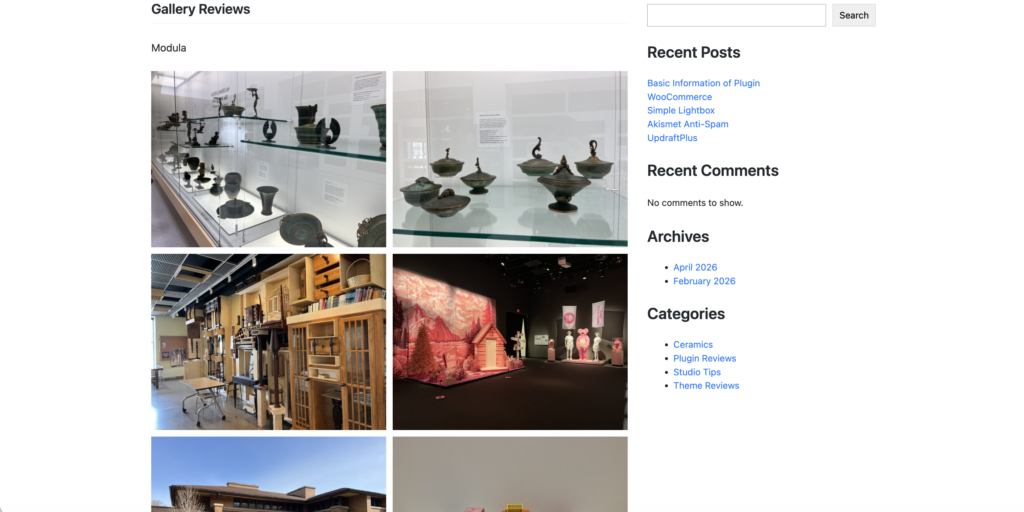
My Opinion
Overall, I think Modula is a great gallery plugin for beginners. It is simple to use and gives a clean result without much effort. I would recommend it for basic gallery needs.
Envira Gallery Review
Functionality:
Envira Gallery allows me to create image galleries by uploading multiple images and displaying them in a structured layout.
Look:
The gallery looks clean and more polished compared to the default WordPress gallery.
Options:
It offers layout and spacing options, but advanced features require the Pro version.
Responsiveness / Mobile:
The gallery adjusts well on mobile devices and keeps a consistent layout.
Ease of Use:
It is easy to use. Uploading and displaying images was quick and simple.
Critique (Positives & Negatives):
Positives:
- Clean design
- Easy to set up
Negatives:
- Limited features in free version
Screenshot of Gallery:

My Opinion:
Envira is a good gallery plugin for beginners who want a simple but professional layout.
WooCommerce Gallery Review
Functionality:
WooCommerce allows me to display multiple images for a product using a built-in gallery. I was able to upload several images and organize them easily.
Look:
The gallery looks clean and structured. There is one main image with smaller thumbnails below, which makes it easy to view different images.
Options:
It allows adding multiple images, but customization options are limited unless extra plugins are used.
Responsiveness / Mobile:
The gallery works well on mobile devices and adjusts properly to different screen sizes.
Ease of Use:
It was easy to use. I simply added images in the product section without any complicated setup.
Critique (Positives & Negatives):
Positives:
- Clean and organized layout
- Easy to add images
- Good for product display
Negatives:
- Limited customization
- Only works inside product pages
Screenshot of Gallery:
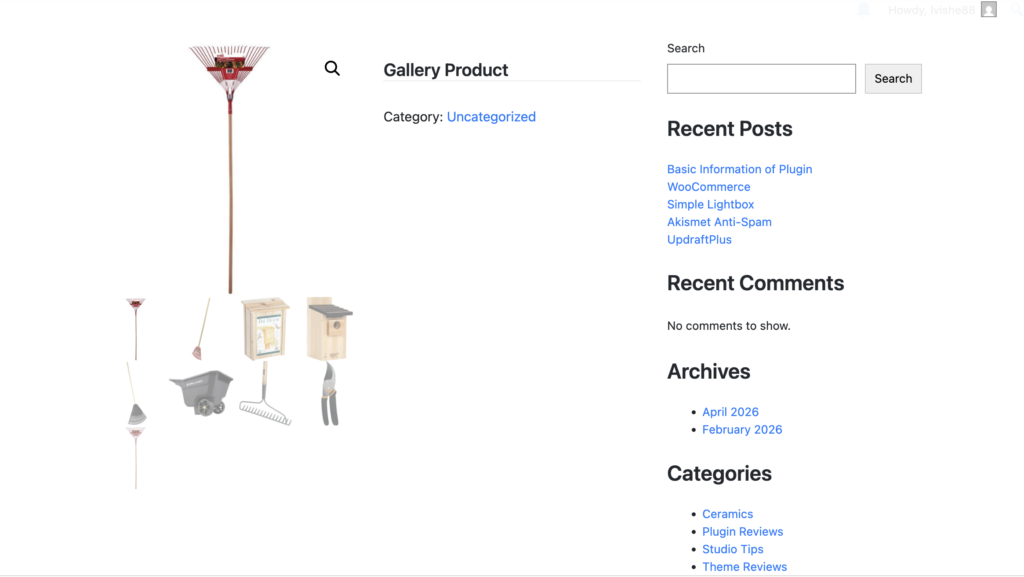
My Opinion:
I think WooCommerce gallery is useful for displaying product images, but it is not the best option for creating creative or customizable image galleries.
Advanced Gallery (Gallery Adv)
Functionality:
The advanced gallery allows me to display multiple images with more control over layout and design.
Look:
The gallery looks more modern and visually appealing than the basic gallery.
Options:
It provides more customization options like spacing, layout, and styling.
Responsiveness / Mobile:
The gallery adjusts well across different devices.
Ease of Use:
It was easy to use, but has more options compared to the basic gallery.
Critique (Positives & Negatives):
Positives:
- More customization
- Better design
Negatives:
- Slightly more complex than basic gallery
Screenshot of Gallery:

My Opinion:
This is a better option than the basic gallery because it provides more design control.
Jetpack Gallery Review
Functionality:
Jetpack enhances the default gallery by allowing images to be displayed in more flexible layouts.
Look:
The gallery looks more dynamic and visually interesting compared to a basic grid layout.
Options:
It provides layout adjustments like columns and image styles, although advanced features are limited.
Responsiveness / Mobile:
The gallery adjusts well on different screen sizes.
Ease of Use:
It was easy to use since it works directly with the gallery block.
Critique (Positives & Negatives):
Positives:
- Better layout than basic gallery
- Easy to use
Negatives:
- Limited advanced customization
Screenshot of Gallery:
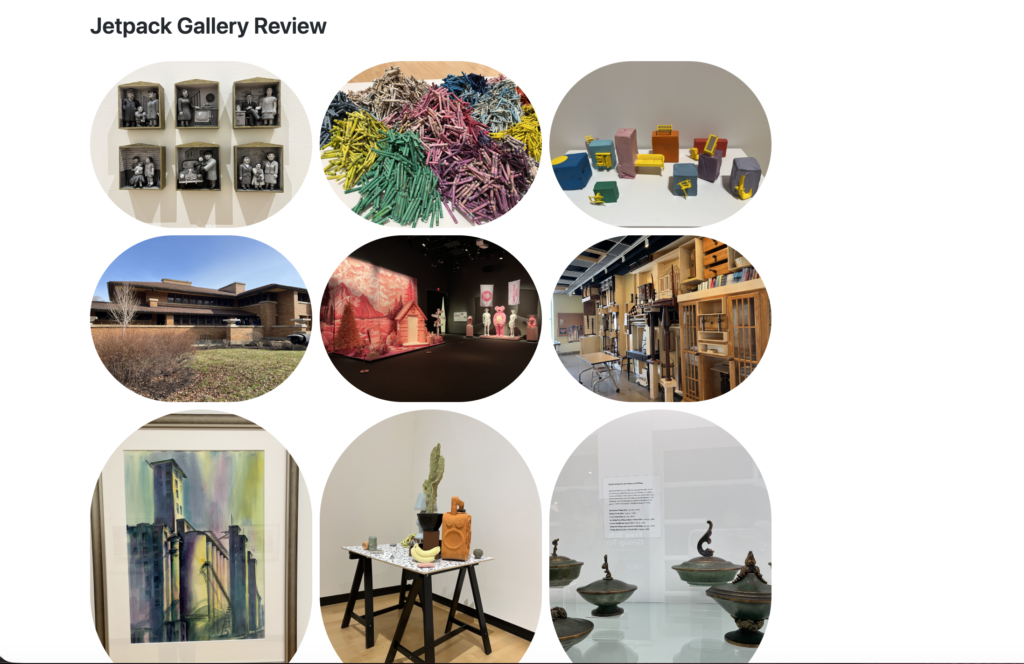
My Opinion:
Jetpack gallery is a good improvement over the default gallery and provides a better visual layout.